Getting SAP Fiori security right starts with understanding what you expose (catalogs), how you present it (groups or—preferably—spaces & pages), and who can use it (PFCG role mapping and authorizations).
Business Catalogs: Contains a collection of SAP Fiori applications (tiles) grouped by a specific business area or functionality.

A Fiori business catalog bundles tiles and target mappings for a specific job to be done (e.g., Accounts Payable). Assigning a catalog to a role controls which apps even exist for a user; no catalog, no app.
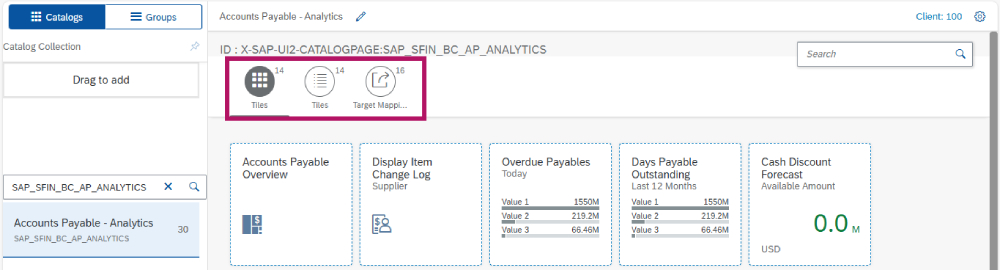
Catalogs contain both the visual tile and the target mapping (semantic object/action → app), which ultimately launches the application. Treat catalogs as the primary security artifact and avoid stuffing “nice‑to‑have” apps into them. Use Launchpad Content Manager to create, copy, and curate catalogs at scale.
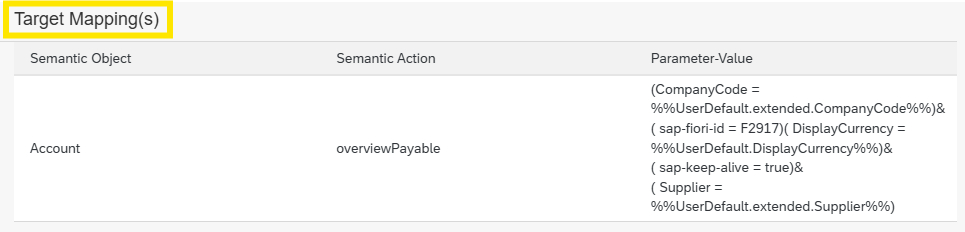
Target mapping: Enables the Fiori Launchpad to route users to the correct backend functionality or application when a tile is clicked
- Semantic Objects – Represent business objects like Account, Supplier, SalesOrder, etc.
- Semantic Actions -Indicate the action to be performed on the semantic object (e.g. create, change, display)
- Navigation Parameters

Business Group: Set of related tiles and apps presented to the user in the Fiori Launchpad. Acts as a user-friendly grouping mechanism for apps from one or more catalogs.
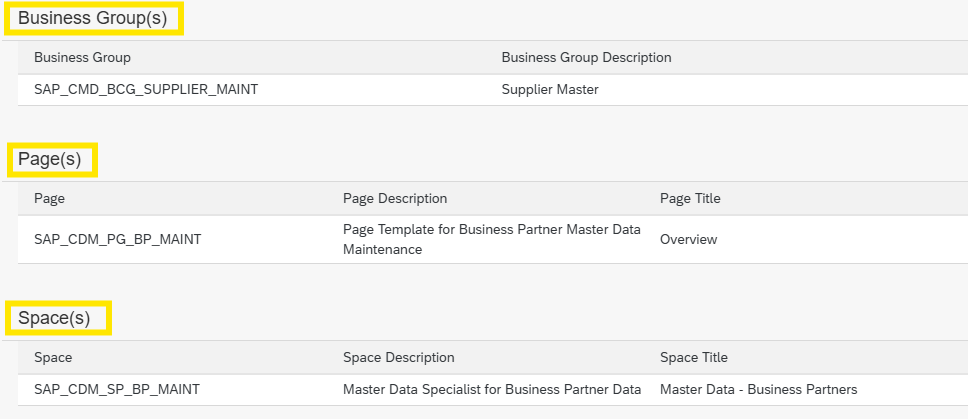
Groups vs. Spaces & Pages: what users see
Historically, groups organized apps on the classic FLP home page. However, from SAP S/4HANA 2021 onward, Groups are officially deprecated; SAP recommends Spaces & Pages for layout and navigation. Migrate sooner than later to avoid stale home pages and reduce rework. Design pages around business roles (e.g., “AP Specialist”) and keep them lean to minimize tile sprawl.
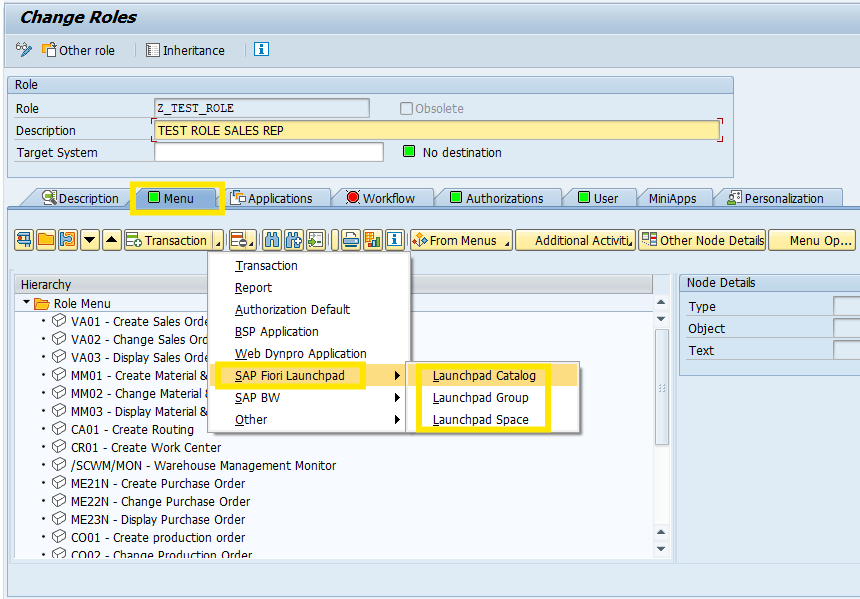
Role mapping: Who gets what – Authorizations flow from PFCG roles.
You make a catalog available by adding it to the role menu; the user sees only the apps tied to the catalogs in their roles. On the backend, include the OData/UI authorizations required by those apps.
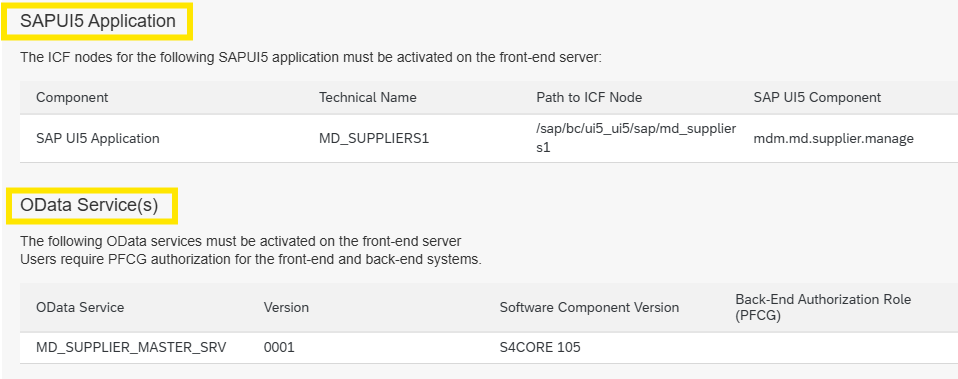
OData Services: OData (Open Data Protocol) Service Requires activation on the front-end server to enable communication between SAP UI5/Fiori applications and the backend system.
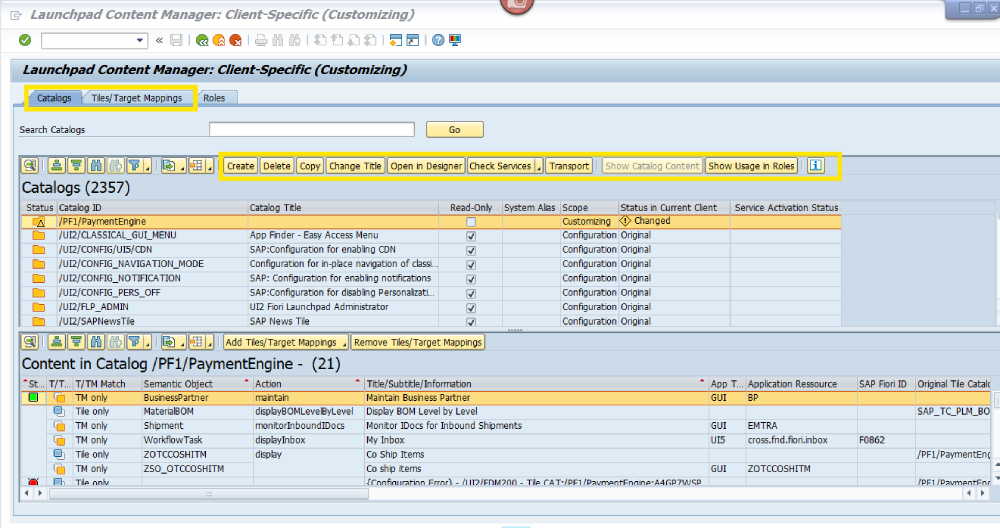
FLP Content Manager: The SAP Fiori launchpad content manager to browse launchpad content and to set up business catalogs according to their needs.
Use Launchpad Content Manager to add/remove catalogs (and spaces/pages) to roles and to analyze content consistency.
Practical guardrails
- Least privilege by design
Build business catalogs (not technical catalogs) aligned to discrete tasks. Smaller, purpose‑built catalogs reduce over‑entitlement and simplify audits. SAP Learning - Separate “can see” from “can do”
Catalog assignment governs visibility; backend auth objects govern capability. Validate the latter with SU24 proposals and targeted tracing when needed. This is crucial for intent‑based navigation where multiple apps share a semantic object/action. SAP Community - Migrate to Spaces & Pages
Plan a role‑by‑role cutover. Recreate each group’s content as one or more pages, prune unused tiles, and pilot with power users before broad rollout. SAP’s guidance is clear: groups are outdated and may not stay in sync. SAP Support Portal - Keep content clean and consistent
Use Launchpad Content Manager to copy SAP‑delivered content into your Z/Y namespace, then tailor. Avoid editing SAP standards directly to stay upgrade‑safe. SAP Help Portal - Trace early, troubleshoot fast
If a tile appears but fails at launch, suspect missing backend authorizations or target mapping inconsistencies. Systematic troubleshooting beats trial‑and‑error: confirm catalog-to-role, page assignment, and backend auths.
Bottom line:
Treat catalogs as your control plane, spaces/pages as your UX shell, and PFCG roles as the enforcement point. Build small, task‑oriented catalogs, migrate off groups, and keep role mapping tidy with Launchpad Content Manager. You’ll deliver a cleaner launchpad, fewer security exceptions, and a support model that scales across updates and new apps.
SAP Help Portal